
October 9, 2026
Local PC Versus VPS Bots: Which Setup Fits?
A bot that stops halfway through a progression because Windows installed an update is not a strategy problem. It is an operating-environment problem. When comparing local PC versus VPS bots, the real question is not which option sounds more advanced. It is which setup gives you the control, uptime, and security profile your configured sessions actually require.
For Stake, wolf.bet, and BC.Game automation, both environments can run the same Windows-based bot logic. Starting bets, multiplier targets, win ratios, stop-losses, seed changes, login cycles, and human-like pacing remain part of the bot configuration. What changes is the machine behind the session and the amount of responsibility you carry for keeping it available.
Local PC versus VPS Bots: The Core Difference
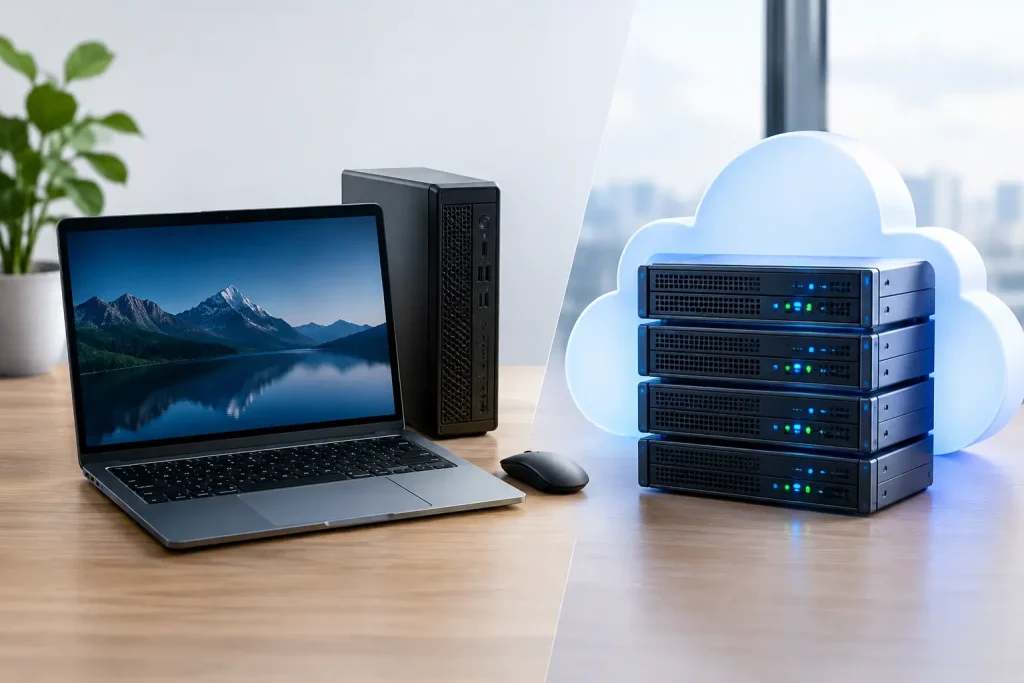
A local PC bot runs on your own Windows computer. You install the software, log in to the supported casino through your own connection, configure session guards, and keep the computer powered on while the bot operates. You have direct physical control of the device, its browser profile, its security tools, and every screen the bot can access.
A VPS bot runs on a remote Windows server. You connect to that server through Remote Desktop, install and configure the bot there, then let the server remain online after you disconnect. The VPS provider supplies the hardware, network connection, and data-center power. You still control the bot settings, casino account access, bankroll limits, and session schedule.
Neither environment changes the mathematical house edge or turns automated wagering into a guaranteed result. Automation executes rules consistently. Your stop-loss, daily profit target, drawdown tolerance, and maximum session time remain the actual guardrails.
Why a Local PC Is Often the Better Starting Point
For users who want immediate visibility and straightforward control, a local machine is usually the cleanest place to begin. The setup is familiar: download the licensed Windows application, log in, enter your game parameters, test the behavior at a low starting bet, and monitor the first sessions directly.
Local operation is especially useful for bots with analysis components. If you are tuning Limbo target behavior, reviewing a roulette sector forecast, adjusting a neural-network brain file, or refining a progression profile, having the application visible on your primary screen makes iteration faster. You can see what the bot sees, pause immediately, and verify that each setting is behaving as intended.
A local PC also keeps credentials and 2FA activity close to you. That matters when a casino requires a confirmation code, a login verification step, or a browser reauthentication. A 2FA-aware automation workflow can assist with the surrounding login process, but it should not be treated as a replacement for account security. Your authentication device and recovery details should remain under your control.
The trade-off is uptime. A local bot can only work while the PC, power connection, internet connection, and Windows session are all healthy. Sleep mode, automatic restarts, browser crashes, Wi-Fi dropouts, and a family member closing the laptop can interrupt a session. That may be acceptable if you run short, supervised windows rather than extended schedules.
When a VPS Is the Operational Choice
A VPS is built for users who value continuity. A remote server stays online while your home PC is shut down, traveling with you, or being used for other work. For longer scheduled windows, this is the main reason to move bot operation off a local computer.
The benefit is not that a VPS is automatically faster. Casino game automation usually depends more on stable browser interaction and consistent network conditions than raw CPU power. The practical advantage is that the VPS lives in a managed data center with persistent power and network infrastructure. You connect, configure, start the session, and disconnect without ending the bot process.
That makes a VPS a sensible fit for users who have already tested their settings locally and want a dedicated operating environment. It also separates wagering automation from personal browsing, work applications, gaming, and constant desktop interruptions. A purpose-built remote server is simply less likely to be affected by everyday PC use.
However, VPS operation introduces its own discipline. You need to secure the remote desktop account, use a strong unique password, keep Windows updated, and avoid installing unnecessary tools. You also need to confirm that the bot is running in an active desktop session, not merely connected to a server that has locked, restarted, or lost browser state.
The Reliability Question Is More Detailed Than Uptime
It is tempting to say that VPS equals reliable and local PC equals unreliable. That is too simple. A well-maintained desktop connected by stable wired internet can outperform a cheap, overloaded VPS. A high-quality VPS can still fail if its browser is misconfigured, its remote session is closed incorrectly, or its Windows updates restart the machine at the wrong time.
Reliability comes from the full operating chain: Windows power settings, browser stability, internet quality, server resources, active login state, and bot-level safety parameters. Before running any meaningful session, test the exact workflow. Confirm that pauses trigger, stop-losses stop, daily limits are respected, and the application responds correctly after a brief connection interruption.
Military-grade session guards are valuable only when they are configured realistically. A daily target that is too aggressive or a loss limit that exceeds your actual risk budget does not become safer because it is running on a remote server.
Security and Account Access on Each Setup
Your local PC gives you more direct control over physical access. If it is encrypted, patched, protected by a dedicated Windows account, and not shared with others, it can be an excellent environment for casino automation. The main weakness is usually user behavior: reused passwords, cluttered browser extensions, unprotected saved credentials, or a device that regularly leaves the house.
A VPS reduces local-device exposure but creates a remote-access surface. Treat it like a small production server. Use a unique remote desktop password, restrict access to the account owner, apply updates on your schedule, and do not store more personal information on the server than the bot requires. Keep authentication recovery codes and wallet security details off the VPS whenever possible.
For either route, separate operational access from convenience. A dedicated browser profile for supported casino platforms keeps cookies, extensions, and login states cleaner. A dedicated email address for bot-related purchase delivery and support can also make account administration easier. None of this removes risk, but it reduces avoidable points of failure.
Local PC Versus VPS Bots by Use Case
Choose a local PC when you are learning a bot, testing a new progression, actively watching sessions, or need frequent 2FA confirmation. It is also the better option if you want the lowest additional monthly cost and you already own a reliable Windows machine.
Choose a VPS when you need the bot to continue while your personal computer is off, when you run long but tightly limited schedules, or when you want a dedicated Windows environment for automation. It is most useful after your settings have been validated through shorter monitored runs.
Use both when you want the strongest workflow: develop and test locally, then deploy the proven configuration to a VPS. Keep the same conservative stop-loss, maximum duration, and daily target settings in both places. The server should not encourage a larger bankroll exposure simply because it can stay online longer.
A Practical Deployment Standard
Before moving any bot to unattended operation, run it under observation. Check its game selection, starting bet, target multiplier, progression ceiling, loss limit, win target, pause schedule, and login behavior. If it uses seed-management functions or analysis files, verify those settings before every new session rather than assuming the previous configuration remains appropriate.
Then set the machine itself to support the plan. Disable sleep during scheduled operation, control Windows restart timing, confirm browser zoom and display scaling, and make sure the active session remains available. On a VPS, reconnect after launch to verify the bot is still in the expected state. On a local PC, test what happens when the display locks or the network reconnects.
The best setup is the one you can inspect, secure, and stop without hesitation. Start with the environment that matches your real operating habits, keep your session guards strict, and treat every automated run as a controlled process, not a substitute for judgment.
Enjoyed this? Get the full Stake Bot Playbook
7 guardrails for disciplined automated sessions – bankroll, stop-loss, daily-win logout, VPS vs PC. Free PDF.
18+ · No spam, unsubscribe anytime.