
October 1, 2026
Casino VPS Setup for Controlled Bot Sessions
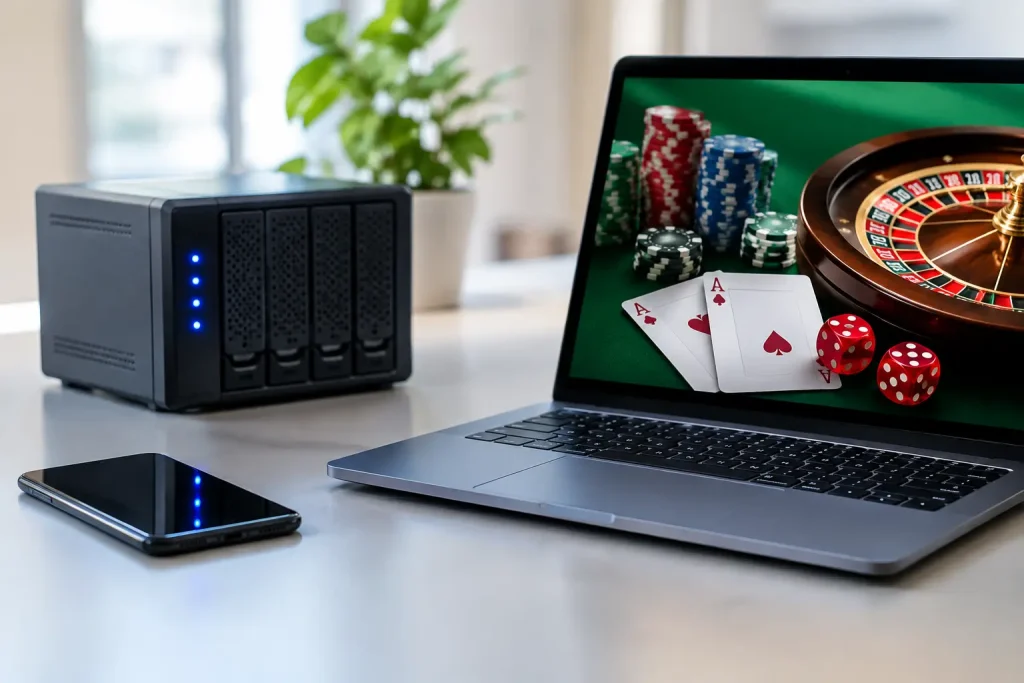
A home PC can be a weak point in a long automated session. Windows updates restart at the wrong time, a laptop sleeps, a browser loses focus, or a power interruption ends a carefully configured run. A casino VPS gives Windows-based betting automation a dedicated remote machine that stays online while you monitor it from your own device.
For experienced users running configured Dice, Limbo, Mines, Hilo, Diamonds, or Roulette software, the value is operational consistency. It is not a winning system and it does not remove casino risk. It is a controlled environment for running the same configured rules, including stop-losses, daily targets, progression limits, session pauses, and human-like timing, without relying on a personal computer being available every hour.
What a Casino VPS Actually Does
A VPS is a virtual private server: a remotely hosted Windows computer with assigned CPU, memory, storage, and internet access. You connect to it through Remote Desktop, install your browser and licensed software, then use it much like a separate Windows PC.
For casino automation, this separation matters. Your local computer can be turned off, used for work, or taken offline while the VPS remains active. The bot runs on the remote Windows desktop, performs its configured click automation, and follows the session rules you set before starting.
That does not mean a VPS is automatically the right answer for every player. If you only run short, attended sessions, a properly configured local PC is often simpler. A VPS becomes more useful when uptime, repeatable sessions, remote access, and isolation from your daily computer are priorities.
Choose a VPS for the Software, Not Marketing Specs
A casino VPS does not need enterprise hardware. It needs enough Windows performance to keep a browser, casino page, automation application, and Remote Desktop stable at the same time. Overspending on CPU cores rarely improves the logic of a betting bot. Underprovisioning memory, however, can create browser lag and delayed screen updates.
Start with a Windows VPS plan that provides a current supported Windows version, administrator access, SSD storage, and a stable remote desktop connection. For one browser profile and one automation application, a modest virtual machine is usually sufficient. If you plan to run several browser windows, analytics tools, or multiple independent sessions, add memory before chasing high CPU numbers.
Location is a practical trade-off. A server closer to the casino platform’s infrastructure may reduce network latency, but the difference is usually less important than connection stability and a reputable provider. Do not select a location simply to misrepresent your identity or bypass an operator’s geographic restrictions. Use the casino only where permitted, complete account verification honestly, and follow its terms.
Before purchasing, confirm these basics:
- Windows Server access with full administrator permissions
- Reliable Remote Desktop access and a clear uptime record
- Enough RAM for the browser, automation app, and normal background services
- SSD-based storage and a provider that permits ordinary Windows software installation
- A recovery path, such as snapshots or backups, if a configuration change goes wrong
Avoid providers that offer vague “casino-ready” claims without explaining their Windows access, support boundaries, or server resources. The useful feature is a stable Windows environment, not a promotional label.
Build the Windows Environment Carefully
Treat the server as a dedicated session machine. Log in through Remote Desktop, run Windows Update before installing your tools, and reboot once while you are present. It is better for updates to happen during setup than during an active betting session.
Install only the software needed for the workflow: a supported browser, your licensed automation application, and any required system components. Extra browser extensions, download tools, and unknown utilities create more points of failure. Use a distinct Windows password and enable multi-factor protection on the VPS provider account where available.
Browser configuration deserves attention. Disable settings that put tabs to sleep, prevent the display from rendering, or clear required session data unexpectedly. Keep browser zoom and display scaling consistent after configuring screen-based click positions. Many automation tools depend on predictable page placement, so changing resolution, zoom, or the layout midway through a session can produce avoidable errors.
If your software supports 2FA-aware login flows, configure them only with your own account and keep recovery methods secure. Never store a casino password in a public note, shared clipboard manager, or unprotected text file on the VPS. A password manager with a strong master password is a better operating standard.
Configure Casino VPS Session Guards Before Starting
The server provides uptime. Your configuration provides control. Before any automated betting session, establish the bankroll and time boundaries that tell the software when to stop.
Set a starting bet that fits the bankroll assigned to that session, not the total balance you could deposit. Define a stop-loss in currency or a percentage of the session bankroll. Then set a daily profit target and a maximum session duration. These controls serve different purposes: a stop-loss limits drawdown, a profit target prevents an open-ended chase for more, and a session timer prevents a process from running long after your attention has moved elsewhere.
Progression profiles require the same discipline. A recovery sequence can increase exposure quickly after consecutive losses, particularly at low win probabilities or high target multipliers. Set a hard ceiling on step count and total wager exposure. If the configured drawdown tolerance feels uncomfortable when written down, reduce the starting bet or do not run the profile.
For products with behavior controls, use session pauses, variable delays, seed changes, and login cycles as operational settings rather than as a promise of invisibility. Casino platforms can change their policies, interface, and monitoring methods at any time. No automation provider can guarantee an account outcome or prevent platform action. Read the platform rules and accept that automation carries account and financial risk.
StakeProSoft applications are designed around game-specific controls, from target multipliers and win ratios to stop conditions and paced betting patterns. The strongest configuration is still the one with clear limits that you can afford to honor.
Test the Remote Workflow While You Are Watching
Do not make the first production run an unattended overnight session. Open the supported casino platform, log in normally, load the correct game, and verify that the browser renders at the expected scale. Start with the smallest permitted bet and observe several actions end to end.
Watch for slow page loads, pop-ups, verification prompts, balance display changes, or game-interface updates. A click automation profile built for a previous interface may need adjustment after a casino redesign. Test how the application handles a lost connection, a failed login, a game error, and a stop-loss event. The goal is not merely to see bets placed. The goal is to verify that the software stops exactly when its guard conditions are reached.
Remote Desktop behavior can also affect monitoring. Disconnecting from a VPS does not always mean the Windows session ends, but providers and Windows policies vary. Confirm whether closing the Remote Desktop window leaves the session active, logs it off, or locks it. Know this before relying on remote operation.
Maintain the VPS Like a Dedicated Trading Terminal
A stable setup becomes unreliable when it is never maintained. Check available disk space, Windows update schedules, browser versions, and application updates on a regular basis. Take a snapshot or note your working configuration before changing a browser, display setting, or bot version.
Review logs or session histories when available. They can reveal whether stops triggered correctly, whether repeated disconnections occurred, and whether a progression profile behaved as expected. If an error appears, pause automation first. Troubleshoot second. Repeated restarts during a live session can turn a technical issue into unnecessary exposure.
A casino VPS is most valuable when it reduces operational noise, not when it encourages longer or riskier play. Build it as a controlled Windows workstation, test every change under supervision, and let your stop-loss and session limits have the final word.
Enjoyed this? Get the full Stake Bot Playbook
7 guardrails for disciplined automated sessions – bankroll, stop-loss, daily-win logout, VPS vs PC. Free PDF.
18+ · No spam, unsubscribe anytime.